Your local SMTP server
made simple
Stop fighting your email setup
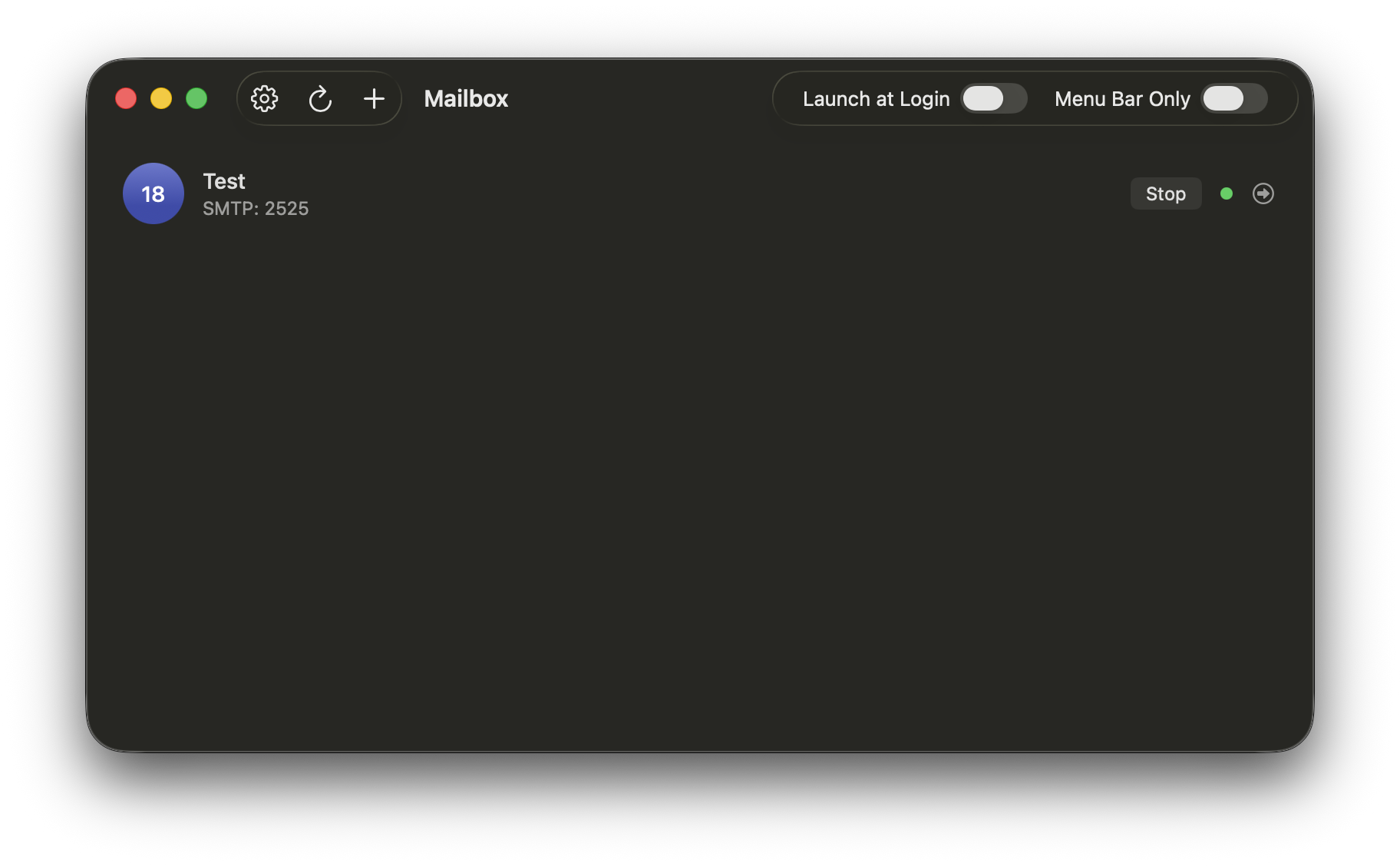
Just point your app to localhost:PORT and start sending.
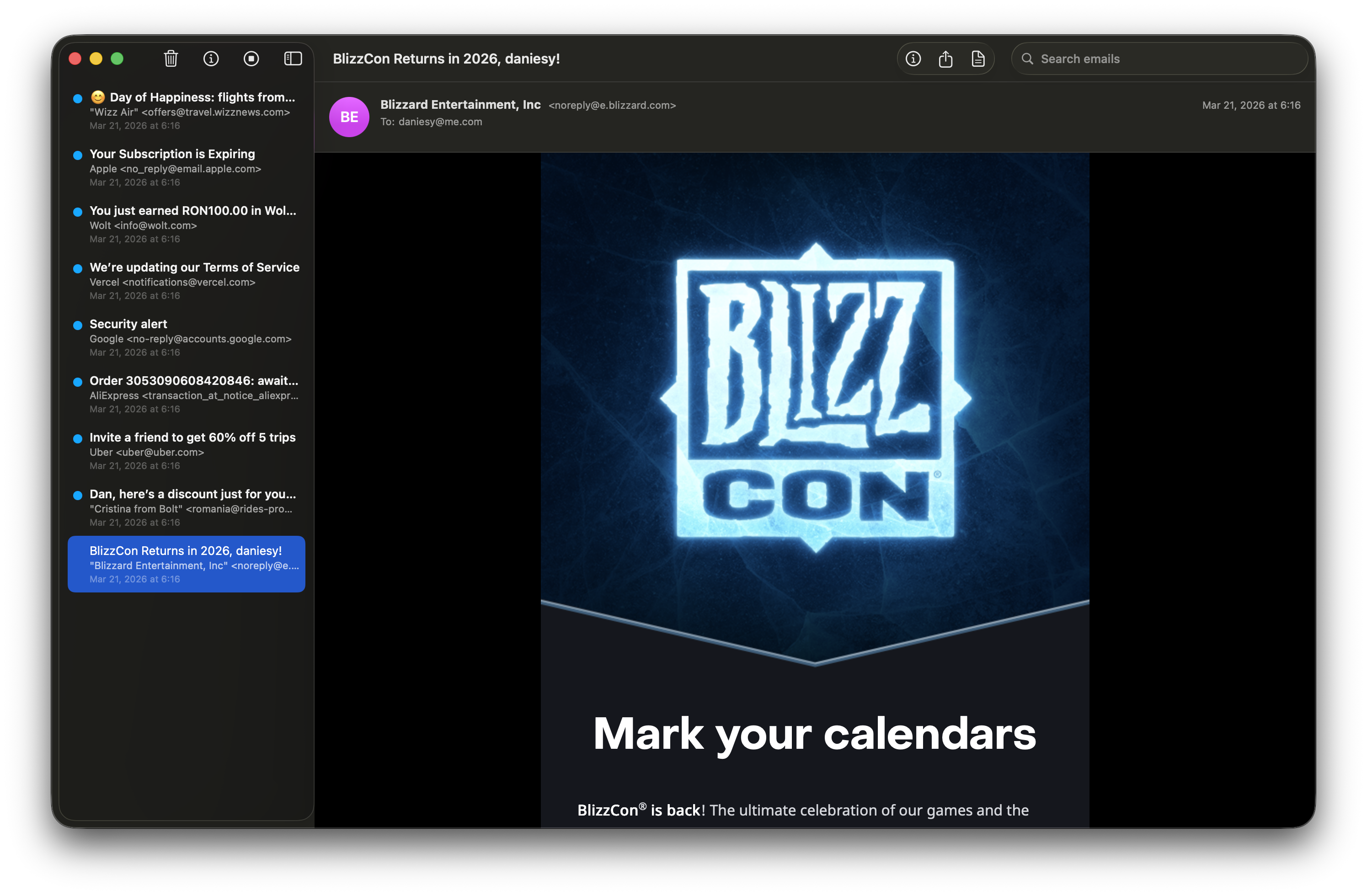
See every email as it arrives
Watch your emails transform from styled previews to raw SMTP data. Mailbox captures everything — headers, body, attachments.
From: sarah@startup.io
To: dev@localhost
Subject: Welcome aboard!
MIME-Version: 1.0
Content-Type: text/html; charset=UTF-8
Date: Fri, 21 Mar 2026 09:14:22 +0000
Message-ID: <a1b2c3@startup.io>
From: ci@github.com
To: team@localhost
Subject: Build passed
MIME-Version: 1.0
Content-Type: text/plain; charset=UTF-8
Date: Fri, 21 Mar 2026 09:15:01 +0000
Message-ID: <d4e5f6@github.com>
From: noreply@stripe.com
To: billing@localhost
Subject: Payment receipt
MIME-Version: 1.0
Content-Type: multipart/mixed;
 boundary="----=_Part_123"
Date: Fri, 21 Mar 2026 09:16:33 +0000
Message-ID: <g7h8i9@stripe.com>
From: team@vercel.com
To: deploy@localhost
Subject: Deploy successful
MIME-Version: 1.0
Content-Type: text/html; charset=UTF-8
Date: Fri, 21 Mar 2026 09:17:45 +0000
Message-ID: <j0k1l2@vercel.com>
From: alerts@sentry.io
To: errors@localhost
Subject: Error resolved
MIME-Version: 1.0
Content-Type: text/html; charset=UTF-8
Date: Fri, 21 Mar 2026 09:18:12 +0000
Message-ID: <m3n4o5@sentry.io>
From: hello@resend.com
To: keys@localhost
Subject: API key created
MIME-Version: 1.0
Content-Type: text/plain; charset=UTF-8
Date: Fri, 21 Mar 2026 09:19:00 +0000
Message-ID: <p6q7r8@resend.com>
From: sarah@startup.io
To: dev@localhost
Subject: Welcome aboard!
MIME-Version: 1.0
Content-Type: text/html; charset=UTF-8
Date: Fri, 21 Mar 2026 09:14:22 +0000
Message-ID: <a1b2c3@startup.io>
From: ci@github.com
To: team@localhost
Subject: Build passed
MIME-Version: 1.0
Content-Type: text/plain; charset=UTF-8
Date: Fri, 21 Mar 2026 09:15:01 +0000
Message-ID: <d4e5f6@github.com>
From: noreply@stripe.com
To: billing@localhost
Subject: Payment receipt
MIME-Version: 1.0
Content-Type: multipart/mixed;
 boundary="----=_Part_123"
Date: Fri, 21 Mar 2026 09:16:33 +0000
Message-ID: <g7h8i9@stripe.com>
From: team@vercel.com
To: deploy@localhost
Subject: Deploy successful
MIME-Version: 1.0
Content-Type: text/html; charset=UTF-8
Date: Fri, 21 Mar 2026 09:17:45 +0000
Message-ID: <j0k1l2@vercel.com>
From: alerts@sentry.io
To: errors@localhost
Subject: Error resolved
MIME-Version: 1.0
Content-Type: text/html; charset=UTF-8
Date: Fri, 21 Mar 2026 09:18:12 +0000
Message-ID: <m3n4o5@sentry.io>
From: hello@resend.com
To: keys@localhost
Subject: API key created
MIME-Version: 1.0
Content-Type: text/plain; charset=UTF-8
Date: Fri, 21 Mar 2026 09:19:00 +0000
Message-ID: <p6q7r8@resend.com>
Everything you need to test emails
A complete toolkit for email development, built natively for Apple platforms.
Multiple Servers
Run unlimited SMTP servers simultaneously on any port. Test your backend, frontend emails, and transactional notifications side by side — each server captures independently so nothing gets mixed up. Perfect for microservices, multi-tenant apps, and staging environments.
Email Inspector
View HTML renders, plain text, headers, and raw source of every captured email.
HTML Compatibility Check
NewAnalyze your email HTML against 300+ CSS and HTML features across 22 email clients. See an overall compatibility score, per-property support bars, and detailed per-client breakdowns — powered by caniemail.com data.
Mobile Preview
NewPreview how your emails render on mobile devices. A simulated iPhone viewport shows exactly what your recipients see on their phones — catch responsive design issues before you send.
Drop-in API Replacement
Replace SendGrid, Postmark, Brevo, Mailtrap, Mailgun, and Resend with a single local endpoint. Point your app at Mailbox instead of the real service — all emails are captured locally. No account needed.
Webhook Simulation
Receive delivery, open, and click events locally — in each platform's exact native format. Test your webhook handlers without connecting to any third-party service.
 SendGrid
  Postmark
  Brevo
Brevo  Mailtrap
  Mailgun
  Resend
 Attachment Support
Preview and download email attachments. Images, PDFs, and any file type your app sends.
Native Experience
Built from the ground up with SwiftUI and Swift NIO — not an Electron wrapper or a Java app. Runs natively on Apple Silicon with minimal memory and CPU usage. Integrates with macOS features like menu bar access, keyboard shortcuts, system notifications, and the Glass UI design language on macOS 26. Feels like it belongs on your Mac.
Up and running in seconds
Three simple steps to start capturing emails from your application.
Create a Server
Pick a port number and give your server a name. Hit start.
Point Your App
Set your app's SMTP host to localhost and the port you chose.
Inspect Emails
Every email your app sends is captured and displayed instantly.
Automate your email testing
Mailbox exposes one configurable local REST API for all servers. Query captured emails, verify delivery, and integrate with your CI/CD pipeline.
- List all captured emails
- Filter by sender, recipient, or subject
- Access raw MIME content
- Delete emails programmatically
{
  "servers": [
    {
      "id": "A1B2C3D4-...",
      "name": "Development",
      "port": 2525,
      "isRunning": true,
      "emailCount": 3
    }
  ],
  "count": 1
} Drop-in replacements for popular email services. Just change the base URL — no provider account required, same request format, locally controlled authentication.
- SendGrid, Postmark, Resend, Mailgun, Brevo & Mailtrap
- Same request format — just swap the base URL
- No provider account required — use a local mock token
- Webhook events in each platform's native format
Frequently asked questions
Does Mailbox actually send emails?
Can I run multiple servers at once?
Does it work with any programming language?
Is there a REST API?
Do I need to configure anything?
Is it free?
What platforms does Mailbox support?
Do I need an account with these services?
How do webhooks work?
Simple, transparent pricing
Start for free. Upgrade when you need more power.
Free
Perfect for getting started with email testing.
- 1 SMTP server
- Email capture and inspection
- HTML & plain text rendering
- HTML compatibility check
- Mobile email preview
- Headers inspector
- Attachments viewer
- Search & export
Pro Monthly
For developers who need the full toolkit.
- Unlimited SMTP servers
- Drop-in API replacement (6 platforms)
- Webhook simulation
- Email forwarding
- REST API access
- Priority support
Pro Yearly
$2.49/mo
Everything in Pro Monthly with a 7-day free trial.
- Everything in Pro Monthly
- 7-day free trial
- Save 50%
Pro Lifetime
Pay once, own forever. Every Pro feature, no expiration.
- Everything in Pro
- Pay once, own forever
- All future Pro features
Start catching emails today
Available on the Mac App Store. Download, create a server, and start testing in under a minute.

Need a custom solution?
For teams that need volume licensing, custom features, or priority support.